Personalized Teacher Classroom Sign SVG
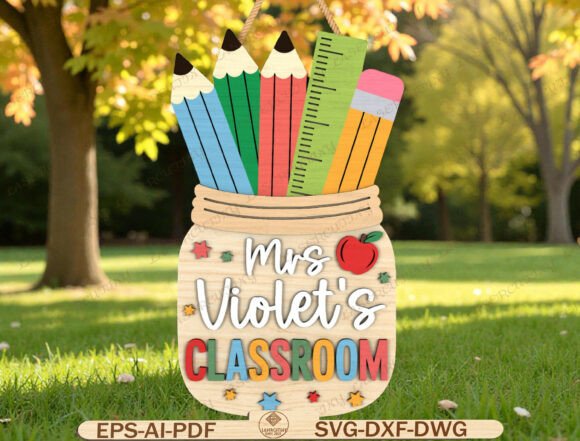
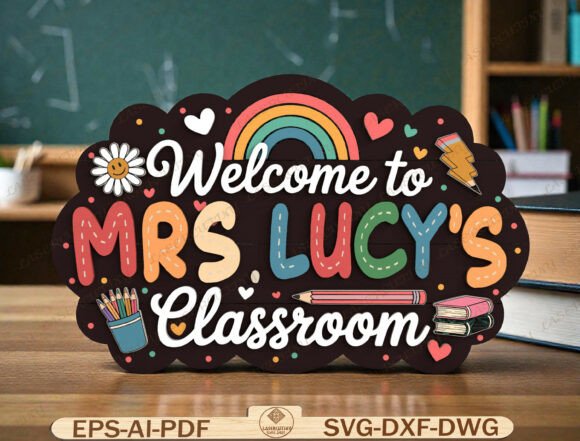
The modern educational landscape, whether in a formal school setting or a home environment, relies heavily on creating spaces that are both functional and psychologically supportive. For educators, the physical environment is not merely decorative; it is a pedagogical tool. A well-designed classroom communicates expectations, fosters belonging, and sets the tone for learning before a single lesson begins. In this context, the Personalized Teacher Classroom Sign SVG emerges as a critical asset in the workflow of classroom setup and management. It represents more than just a piece of wall art; it is a customizable digital asset that bridges the gap between generic decor and personalized professional branding.
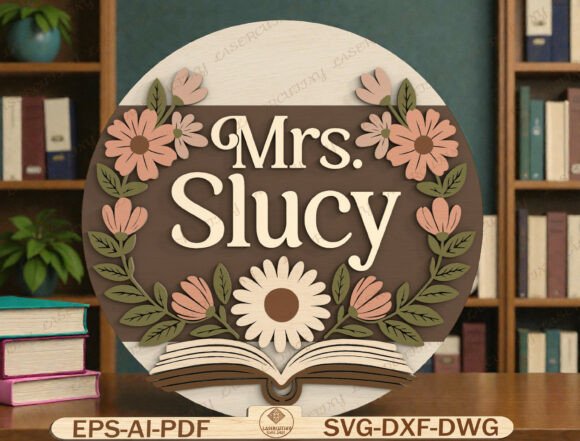
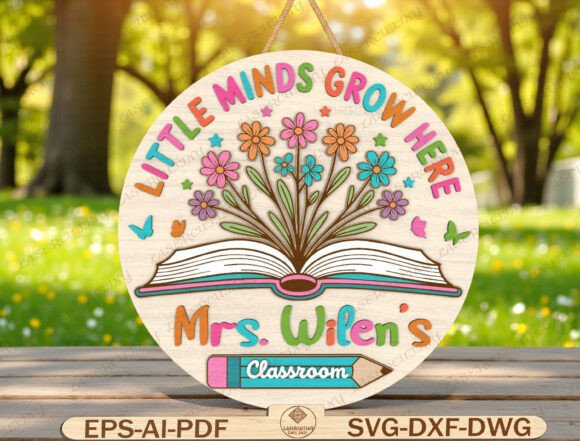
This specific design, often characterized by themes like “Little Minds Grow Here,” integrates visual metaphors for education—such as open books, blooming flowers, and butterflies—with practical personalization. The ability to edit text fields allows teachers to insert their specific titles (Mrs., Ms., Miss, Mr.) and surnames, ensuring the final output feels authentic and tailored. Understanding how to integrate this digital file into a production workflow requires an appreciation for file formats, software compatibility, and material selection.
Understanding the Digital Asset Workflow
Before cutting any vinyl or printing any paper, it is essential to understand the nature of the source file. The product described is a digital download containing multiple high-quality formats: SVG, DXF, AI, EPS, PDF, and DWG. Each format serves a distinct purpose in the creative pipeline, and selecting the right one depends on the tools at your disposal.
The SVG (Scalable Vector Graphics) format is the industry standard for hobbyist cutters like Cricut and Silhouette. Unlike raster images (JPEG or PNG), which are made of pixels and lose quality when scaled, vectors are defined by mathematical paths. This ensures that when you scale the “Little Minds Grow Here” sign up for a large banner or down for a small desk label, the edges remain crisp and clean. The layered nature of the SVG is particularly important; it allows users to separate the colorful lettering from the background elements, such as the book and flowers. This separation enables precise color matching and multi-step cutting processes without manual tracing.
For professionals using laser engravers or CNC routers, the DXF and DWG files provide the necessary geometry for vector-based cutting and engraving. These formats ensure that the machine reads the design accurately, preserving the intricate details of the butterfly wings and flower petals. The AI and EPS files cater to graphic designers who may wish to further refine the typography or adjust the color palette before sending the file to production. By having access to these varied formats, the user maintains control over the entire production chain, from initial design adjustment to final fabrication.
Integration with Cutting and Engraving Tools
The versatility of this SVG file lies in its broad compatibility. Whether you are operating a Glowforge, xTool, OMTech, or Thunder Laser system, the design can be adapted to fit the specific capabilities of your hardware. Similarly, for those using electronic cutting machines, the Cricut-compatible SVG format ensures seamless import into Design Space, while Silhouette users can open the file directly in Designer Edition.
When preparing the file for use, attention to detail in the software interface is crucial. For instance, when importing an SVG into a cutting program, it is advisable to check the layer structure. Ensuring that the text layer is set to "cut" and the decorative elements are correctly assigned to their respective colors prevents alignment errors during the cutting process. If you are using a laser cutter, you might assign different power settings to the text versus the solid shapes to achieve contrast between engraved lines and filled areas.
Furthermore, the editable nature of the teacher’s name is a significant workflow advantage. Instead of ordering custom signs individually for every staff member, a school administrator or a teacher can duplicate the project file, update the text field, and generate new cuts instantly. This scalability reduces lead times and minimizes waste, as adjustments are made digitally rather than physically. It transforms the sign from a static object into a dynamic component of classroom organization.
Material Selection and Production Quality
Once the digital file is prepared, the next phase involves material selection. The choice of material dictates the durability and aesthetic of the final sign. For a permanent classroom installation, durable options such as acrylic, wood, or heavy-duty cardstock are preferred. Acrylic offers a modern, sleek look that reflects light beautifully, enhancing the colorful lettering of the design. Wood provides a warm, natural feel that complements the botanical elements of the artwork, such as the blooming flowers.
If using vinyl for a temporary or semi-permanent display, consider the adhesive properties and the surface texture. Smooth surfaces yield the best results for vinyl application, while textured walls may require additional priming or mounting on a rigid backing board. For homeschool environments or portable classroom setups, printed paper or cardstock mounted on foam core offers a lightweight alternative that is easy to transport and store.
Quality control is paramount in this stage. Before committing to expensive materials, it is recommended to print a test version of the design on regular printer paper. This mock-up allows you to verify the layout, check for any missing layers, and ensure that the personalized name fits within the designated space. It also helps in visualizing the color scheme and making any necessary adjustments to font size or element placement. This simple step can save significant time and resources by identifying potential issues early in the process.
Application Scenarios and Long-Term Use
The utility of the Personalized Teacher Classroom Sign SVG extends beyond the initial setup. During the back-to-school season, these signs serve as welcoming markers that help students identify their learning spaces quickly. They act as visual anchors in a room that may otherwise feel chaotic or overwhelming, especially for younger children in preschool or elementary grades. The imagery of growth—represented by the flowers and butterflies—subtly reinforces the educational mission of nurturing development.
In the context of teacher appreciation, these signs make meaningful gifts. Because they are personalized, they carry a level of thoughtfulness that generic items lack. A gift basket including a handmade sign, along with other classroom supplies, demonstrates a deep understanding of the teacher’s professional identity. For entrepreneurs selling classroom decor, this SVG file provides a reliable product base that can be expanded into a line of matching items, such as door hangers, bulletin board borders, and student name tags.
Long-term use also involves maintenance and updates. As teaching styles evolve or classroom layouts change, the digital nature of the asset allows for easy modification. If a teacher changes their name due to marriage or prefers a different title, the file can be updated and reprinted without needing to redesign the entire graphic. This flexibility supports sustainability in education decor, reducing the need for constant replacement of outdated signage.
Conclusion on Practical Implementation
Integrating a Personalized Teacher Classroom Sign SVG into your workflow requires a methodical approach that respects the technical specifications of the file and the practical needs of the end-user. By leveraging the various formats provided, selecting appropriate materials, and conducting thorough quality checks, educators and creators can produce high-impact classroom assets. The design’s emphasis on customization and growth aligns perfectly with the goals of modern education, offering a tangible representation of the care and effort invested in the learning environment. Ultimately, the value of this digital asset lies not just in its appearance, but in its adaptability and ease of use across diverse production platforms.